Make the Reveal a Shared Moment
A product reveal, opening announcement, or closing celebration is often the part guests remember. Audience phone lights let attendees contribute to that moment rather than only watch it.
Prepare an invitation that explains what will happen. Guests can join before the live session opens and wait ready for the production cue. They do not need to scan the same QR code again when the operator goes live.
Corporate Use Cases
Product Launch
Prepare a color build or shared light cue to complement the reveal video and stage lighting. Agree on the timing with the show caller and rehearse the whole sequence with actual audio playback.
Partner and Dealer Meeting
A shared brand-color moment can support an opening or celebration. Keep the invitation short so attendees understand their role without a technical explanation.
Gala or Awards Ceremony
Use a prepared item for a suitable opening, final announcement, or closing performance. Make sure it fits the venue's safety guidance and the needs of guests who choose not to participate.
Put the Operator in Control
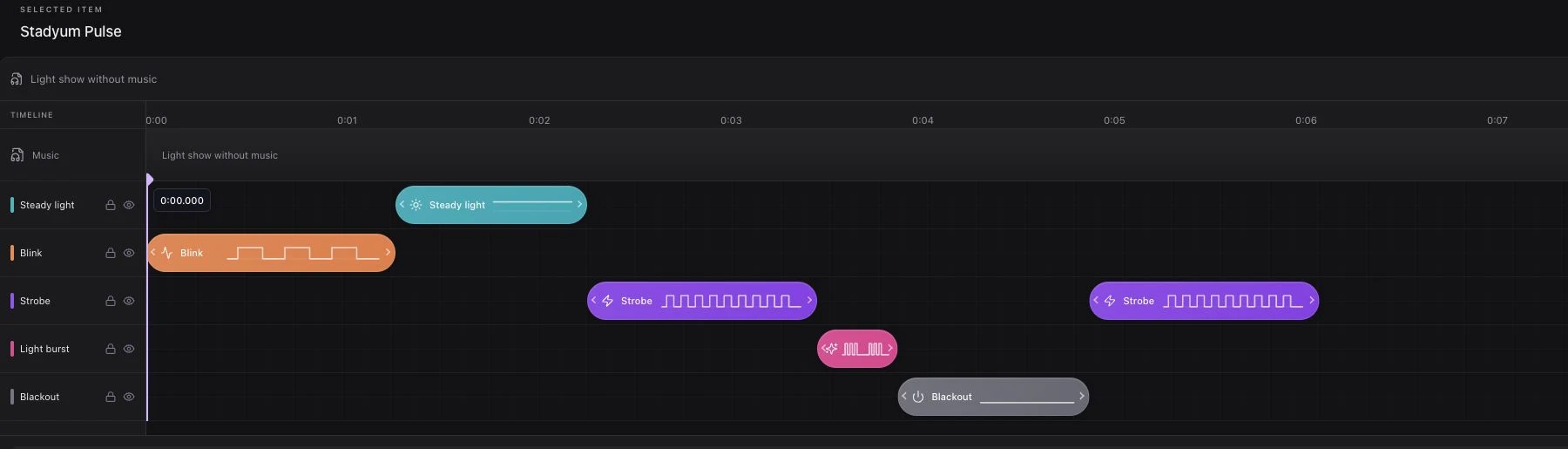
Studio holds the event flow, music, and light effects. Preview plays locally for preparation. Go live opens the session without starting lights. Play starts the selected item or flow on the production cue.
Stop cancels playback while keeping the session open. End event closes the session and returns attendees to waiting. These actions should be part of the technical rehearsal, not learned during the reveal.
Explain Permissions Clearly
Corporate guests may be cautious about camera access. Tell them why it is requested before the prompt appears: some browsers require it to control the flashlight, and no camera footage is recorded or uploaded by the light-show experience.
Screen light provides a fallback when permission is declined or torch access is unavailable. Core participation does not require a guest's name, email address, or phone number. Operational connection information still supports the live session.
Use security and permissions when preparing the invitation. Review the event's own privacy notices and any separate recording or analytics arrangements with the responsible team.
Questions for the Production Brief
| Topic | Question to resolve |
|---|---|
| Cue | Who calls and starts the light moment? |
| Invitation | Where will guests see the QR code before the cue? |
| Brand | Which screen colors and copy are approved? |
| Connectivity | Has joining been checked across the audience area? |
| Devices | Have flashlight access and screen fallback been rehearsed? |
| Close | Who stops playback and ends the session? |
Review the Experience Honestly
Connected and ready counts support live operation. Production footage and separately gathered attendee feedback can help assess how the moment worked. Do not interpret a device count as proof of unique attendees, recall, or campaign reach.
Request a demo to try the attendee journey and prepare a reveal scenario with your production team.