Why Use the Browser?
People at a live event have limited attention. They may be finding a seat, following the performance, or moving between festival stages. Asking them to find an app, install it, and create an account adds steps before they can take part.
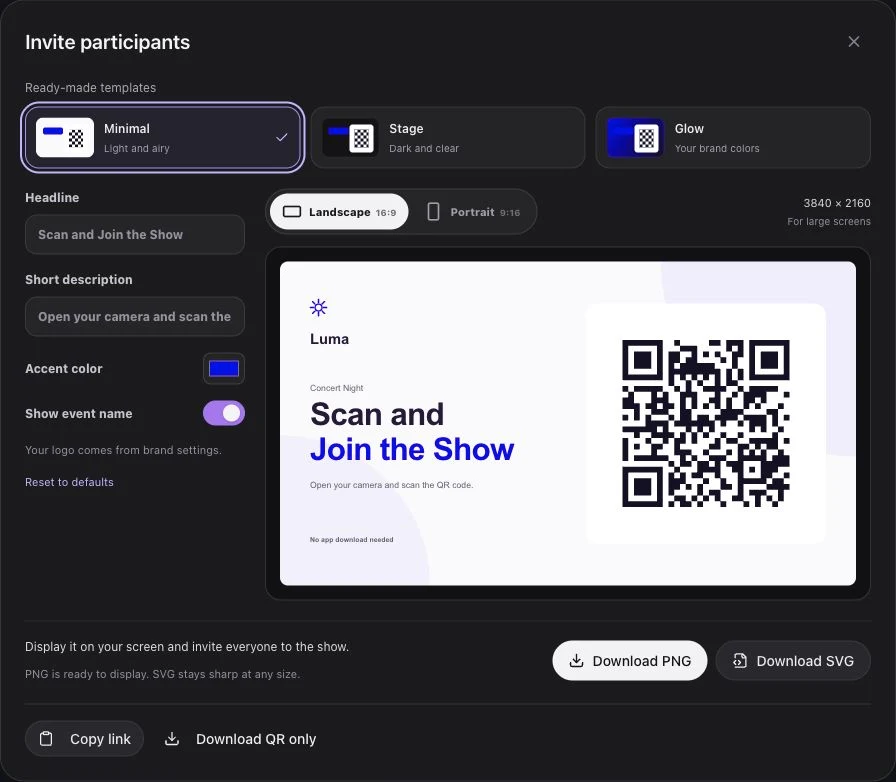
Luma Crowd keeps the invitation close to the moment. A QR code opens the participation page in the phone's browser. Guests choose to join and can wait for the operator's live cue.
What the App-Free Journey Includes
A Visible Invitation
Use a large, high-contrast QR code and a short instruction. Keep it on screen long enough for guests to notice, take out their phones, and scan it. Also provide a readable link where your screen layout allows it.
A Clear Join Action
Opening the page does not start a show. The guest taps Join. If flashlight access needs camera permission, the browser asks at this point.
Explain the permission in plain language: it supports flashlight control on compatible phones, and the light experience does not record or upload camera footage.
A Useful Waiting State
Guests can prepare before the event goes live. When the operator opens the live session, they do not need to scan the same QR code again. The actual show starts when the operator presses Play.
Browser-Based and App-Based Experiences
| Consideration | Dedicated event app | Luma Crowd browser flow |
|---|---|---|
| Entry point | An installed app | A QR link |
| Installation | Depends on the app | No installation for participation |
| Participant account | Depends on the app | Not required for the core show |
| Updates | App release process | Published web experience |
| Device features | App-specific support | Browser-specific flashlight access and screen fallback |
An app may serve other event needs. A browser-based light show can sit alongside it: the event app, website, or email can link guests to the same participation page.
Compatibility Needs a Rehearsal
“App-free” does not mean every device behaves identically. Torch access differs across phones and browsers. Screen brightness and ambient light also change the appearance of colored effects.
Test phone flashlight behavior, camera permission refusal, and screen fallback before the event. Check guest Wi-Fi or cellular coverage in the audience area, rather than relying on the operator's wired connection.
Use It Across Event Formats
The same simple join flow can support stadium shows, concerts, festivals, and corporate launches. The invitation timing and creative design should match each audience.
Request a demo to try the guest journey and discuss how it fits your venue's screens and production schedule.